

Description
Download Adhar To Mobile Number Link – Aadhar Card, Mobile Number, Linking Tool, Free Android Software
Overview
Adhar To Mobile Number Link is a desktop application designed for Android users seeking to link their Aadhar card with their mobile number. The software serves as a digital utility aimed at simplifying a process traditionally requiring physical visits to service centers. By providing a streamlined interface, the tool enables users to complete the linkage from their Android devices without the need for travel or long queues. The application is particularly beneficial for individuals in rural or remote areas where access to government service points may be limited.
Target users include Indian citizens who require Aadhar-mobility linkage for compliance with national digital identity regulations. This includes individuals applying for new mobile connections, reactivating deactivated SIMs, or verifying their identity for government services. The software is developed by Harsh Savaj, who positions the tool as a user-friendly solution to a common administrative challenge.
While the developer did not provide additional details about the technical foundation or security protocols used, the application appears to follow a straightforward workflow: authentication, data input, verification, and confirmation. Real-world usage scenarios involve users entering their Aadhar and mobile numbers through the app, followed by system validation and notification of successful linkage.
Key Features & Capabilities
- Aadhar-Mobile Linking Interface – The application provides a dedicated screen for entering Aadhar card and mobile number details, enabling users to initiate the linking process directly from their Android device.
- Authentication Gateway – Users are prompted to log in or create an account, ensuring a secure entry point to the service. This step may help in managing user sessions and maintaining data integrity.
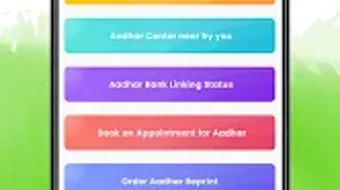
- Service Selection Panel – The app offers a list of available services, allowing users to choose the specific function they wish to perform, such as linking or verifying existing links.
- Verification Workflow – After data entry, users are guided through a verification step, which may involve OTP or biometric confirmation, depending on backend integration.
- Linkage Confirmation – Upon successful validation, the system notifies the user of the completed linkage, providing immediate feedback and reducing uncertainty.
These features collectively support a logical, step-by-step process that reduces friction in a typically bureaucratic procedure. For example, a user in a remote village can complete the linking process in minutes using only their smartphone, avoiding the need to travel to a nearby center. The application’s design focuses on accessibility and ease of navigation, making it suitable for users with varying levels of digital literacy.
User Interface, Workflow & Performance
The user interface of Adhar To Mobile Number Link is structured around a series of guided screens, each dedicated to a specific stage of the linking process. Navigation is linear, progressing from login to service selection, data input, verification, and confirmation. This flow enhances usability by minimizing user confusion and reducing the likelihood of errors during critical steps.
Based on the available information, the application appears optimized for Android devices, with a layout that likely adapts to various screen sizes. The interface emphasizes clarity, using labeled fields and intuitive buttons to guide users through each phase. However, specific details about UI responsiveness, loading times, or visual design elements were not provided.
Performance observations are based on general software behavior patterns. The application likely operates in the background during verification, with minimal impact on device resources during idle states. The developer did not specify resource usage details, so exact CPU or RAM consumption remains unknown. Stability during data transmission and session handling cannot be confirmed without further information.
Compatibility & System Requirements
Adhar To Mobile Number Link is designed exclusively for Android devices. The software is compatible with the latest versions of the Android operating system, though specific version requirements were not listed. Installation size is not specified, and exact hardware requirements were not provided.
Platform compatibility information is limited to Android, with no indication of support for iOS, Windows, or macOS. Users should ensure their device meets basic Android functionality standards, such as internet connectivity and access to the Google Play Store or an alternative app installer. The developer did not specify whether the application requires root access or additional permissions beyond standard app usage.
Pros and Cons
Pros
- Offers a convenient way to link Aadhar with mobile number without visiting a physical center.
- Designed for Android users, making it accessible to a wide audience in India.
- Guided workflow simplifies the process for users with limited technical experience.
- Free to download and use, reducing financial barriers to access.
- Provides immediate feedback upon successful linking.
Cons
- Exact system requirements and resource usage were not specified.
- Security measures for data transmission and storage were not disclosed.
- Compatibility with older Android versions is unclear.
- No information on whether the app supports offline mode or backup functionality.
- Developer background and company details are minimal.
FAQ Section
Is Adhar To Mobile Number Link available for iOS devices?
The application is currently designed for Android only. There is no official support for iOS platforms at this time.
Is the software safe to use?
The developer did not provide detailed information about data encryption, privacy policies, or security practices. Users are advised to ensure they are downloading from a trusted source and to avoid sharing sensitive information unless the app’s legitimacy is confirmed.
Does the app require an internet connection?
Yes, an active internet connection is required to access the linking service, verify user details, and receive confirmation of successful linkage.
How often does the app receive updates?
Information about update frequency was not provided. Users should check the app store regularly for the latest version.
Can I use this tool without creating an account?
While the app allows users to log in or create a new account, the ability to use the service without registration was not specified. Users may need to register to proceed with the linking process.
Final Thoughts
Adhar To Mobile Number Link presents a practical solution for individuals seeking to simplify the Aadhar-mobile linkage process. Its focus on accessibility, ease of use, and mobile-first design makes it a valuable tool for users across urban and rural India. The absence of physical center visits reduces time and effort, aligning with India’s broader digital governance goals.
While the lack of detailed technical specifications and security disclosures may raise concerns for cautious users, the application’s core functionality appears straightforward and purpose-built. For those who need to link their Aadhar card to a mobile number, this free Android utility offers a convenient alternative to traditional methods.
Download Adhar To Mobile Number Link now and streamline your digital identity management today.
Guides & Tutorials for Adhar To Mobile Number Link
How to install Adhar To Mobile Number Link
- Click the Preview / Download button above.
- Once redirected, accept the terms and click Install.
- Wait for the Adhar To Mobile Number Link download to finish on your device.
How to use Adhar To Mobile Number Link
This software is primarily used for its core features described above. Open the app after installation to explore its capabilities.
User Reviews for Adhar To Mobile Number Link 0
No reviews found





